Prices are in USD (US). Final pricing may vary by region, currency, and local taxes.
Alert Sign pricing includes the full product across Mac Desktop. We welcome you to start with a free trial, then choose a monthly or annual subscription.
Full-Screen Meeting Alerts for Mac
Never Miss a Meeting Again
Alert Sign acts as your digital signal system on Mac Desktop OS version 14+, monitoring your calendar and triggering full-screen alert/s (on multiple monitors) when it’s time to move, keeping you in the work zone.
Alert Sign cuts through distractions. Keeping you on track. And it’s fully configurable.
Built for focus and reliability, ideal for people managing ADHD and neurodivergent users who want to stay focused and on track, so you never miss a meeting again.
- Quick Notes:
- Never miss a meeting again
- Unlimited full-screen meeting alerts and reminders, built to be fully customisable
- Connects to Google Calendar, iCloud, Outlook, and other calendars via you MacOS Calendar App (iCal)
- Activate up to 2 devices using your iCloud ID
- Designed for Mac OS Desktop
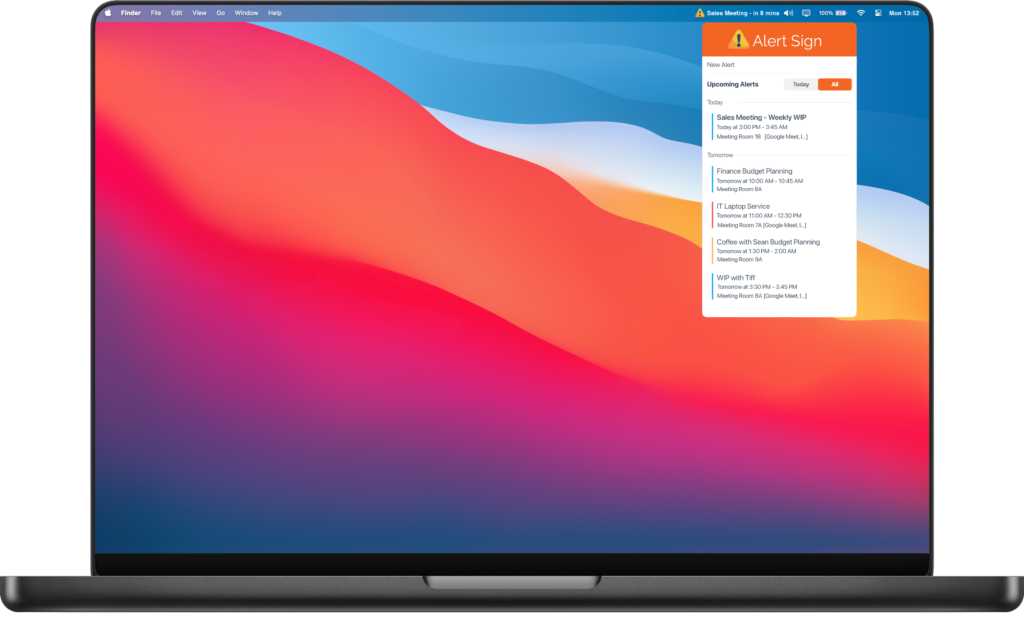
Menu Bar – Easy Access
Alert Sign stays out of the way until it matters. Access everything from the menu bar, where upcoming and active meetings are always visible. When it’s time, jump straight into your call with a single click.
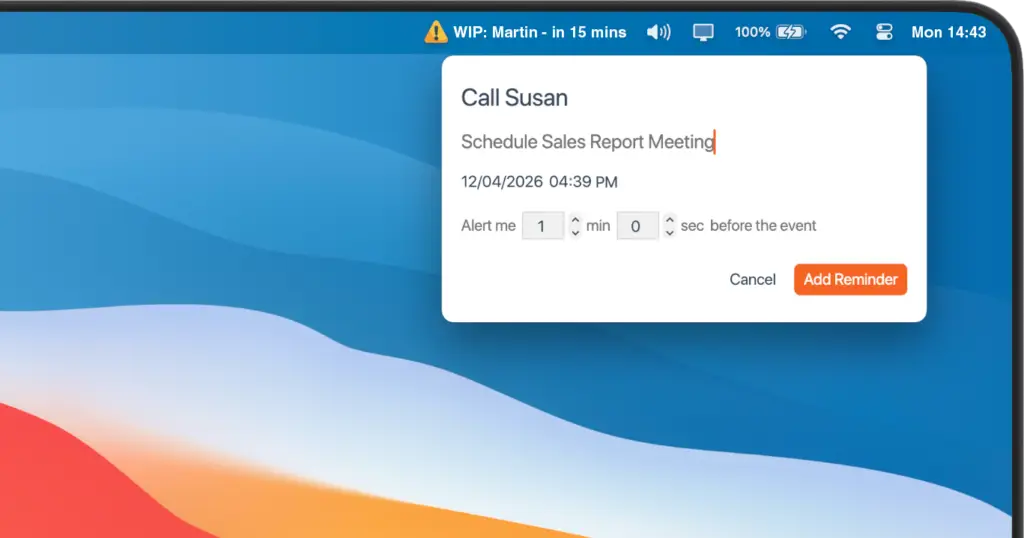
Custom Reminders
Stay on top of what matters, even without a calendar event. Custom reminders let you trigger alerts for anything, giving you a simple, reliable way to manage important tasks.
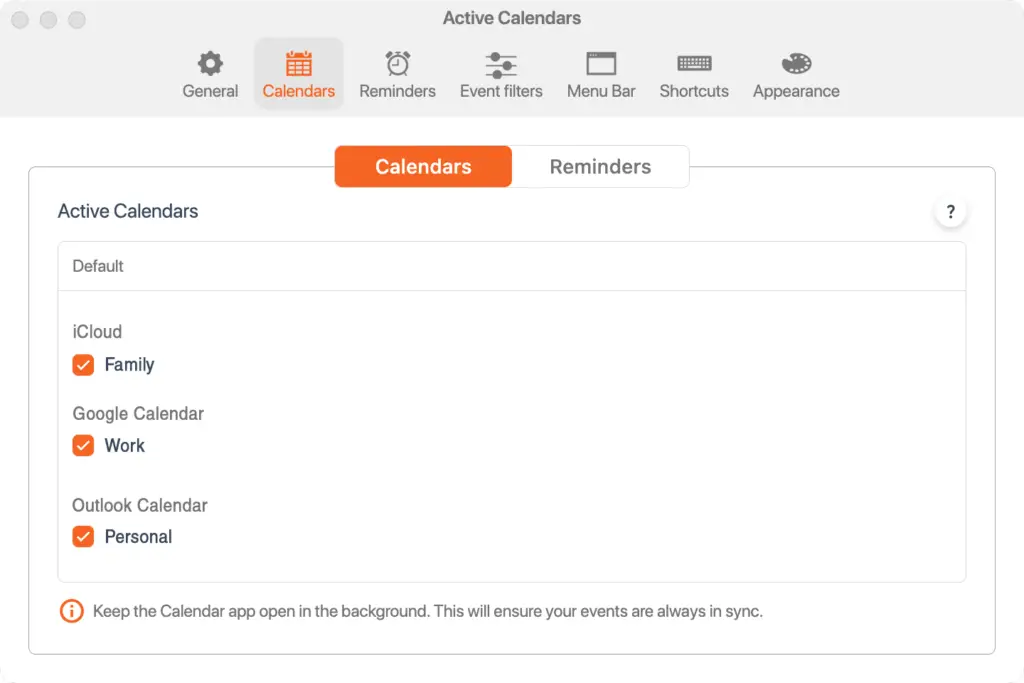
Connected Calendars & Reminders
Be reminded when it matters most.
Connect your Google and Outlook calendars via Apple Calendar (iCal), then choose which calendars trigger alerts so you only see what’s important.
Easily turn your connected calendars on or off to fine-tune your experience.
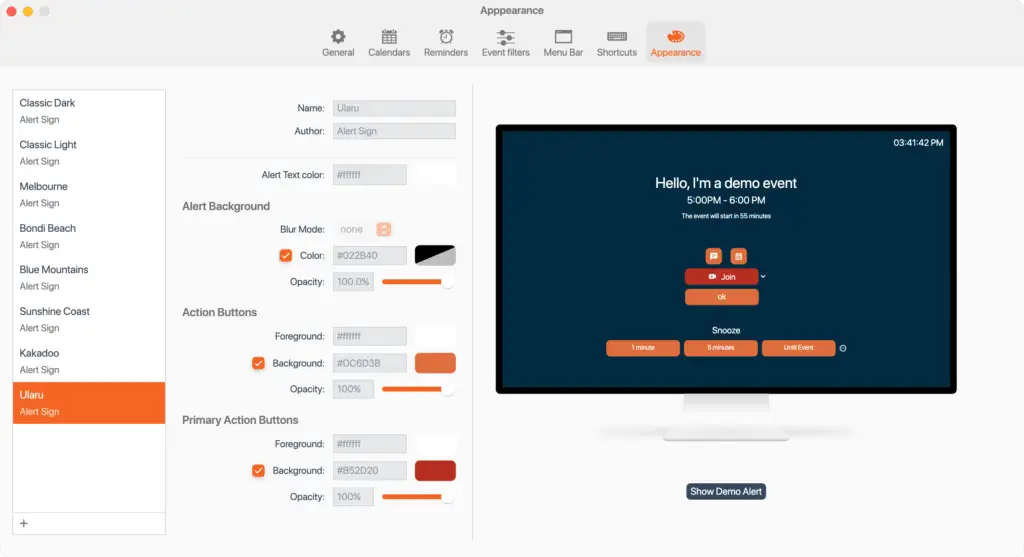
Appearance – Personalised
Personalise the look and feel of your alerts with fully customisable designs. Create, export, and save your alert style with ease. To get you started, we’ve included a range of classically Australian-inspired Alert Sign themes.
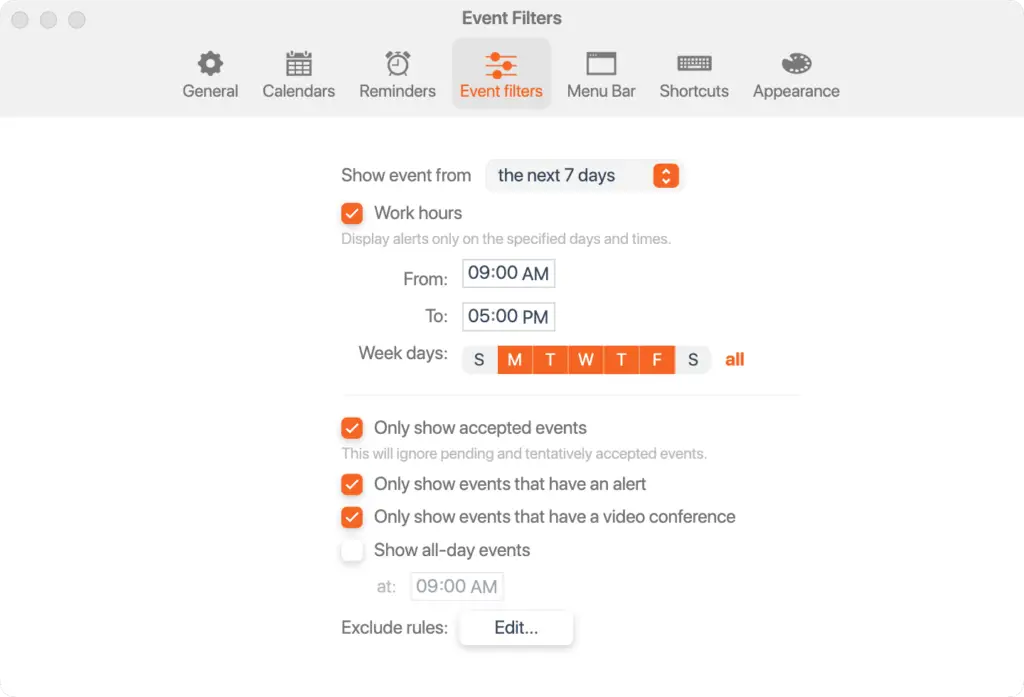
Event Filters
Tailor when alerts appear to match your preferred way of working, giving you greater control over your day and how you manage notifications.
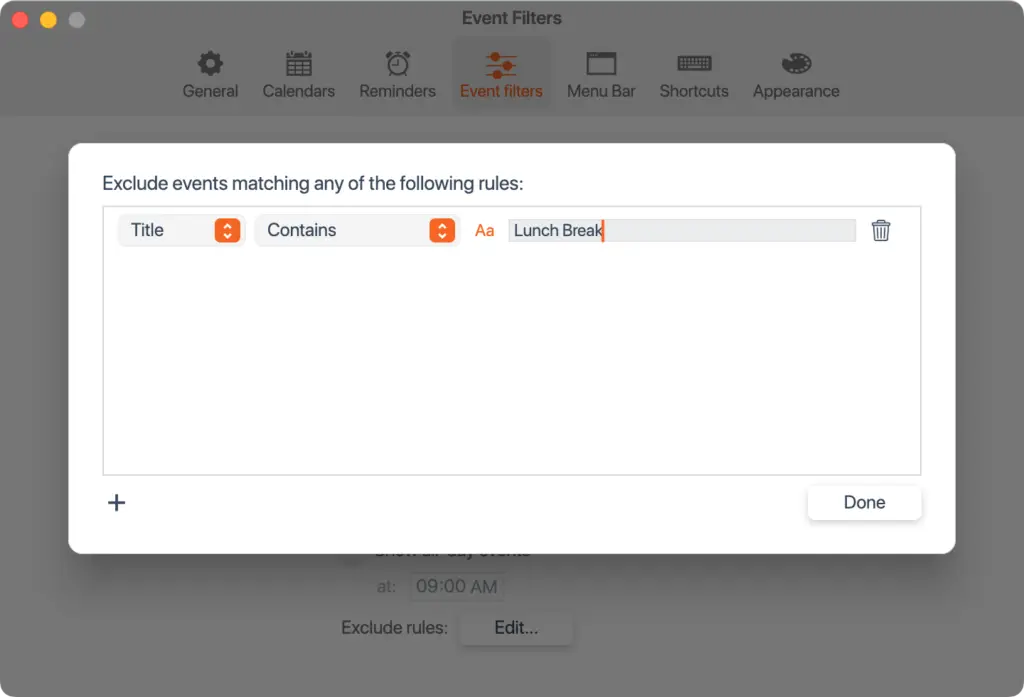
Event Filter Rules
Identify keywords within your connected calendar’s event Title, Notes, or Location to automatically exclude these events from triggering an Alert Sign alert. Ideal for calendar entries that you’ve set-up to time-blocks or placeholder events that don’t require a full-screen alert.
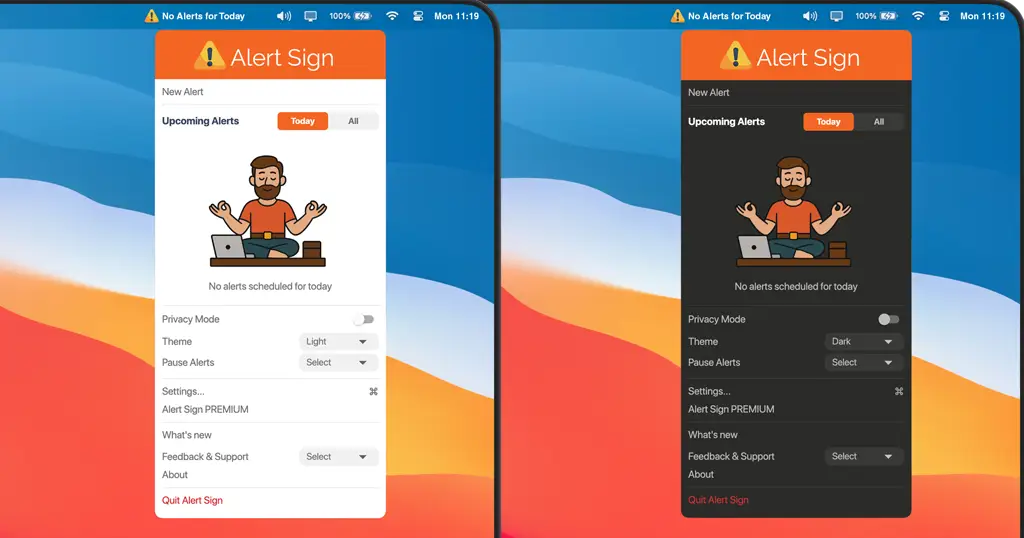
Settings
Alert Sign is designed to adapt to your work style. From within the app, you can configure:
- Theme: Choose Dark, Light, or Automatic mode. Automatic syncs with your macOS Appearance settings.
- Pause Alerts: Prevent alerts from appearing while you’re presenting or sharing your screen.
- Privacy Mode: Blur alert messages so you’re notified without sensitive details being visible to those nearby.
- Settings: A deeper layer of customisation, giving you greater control over how Alert Sign behaves.